
How to Streamline Workflow Processes
Using Asana, Trello Boards, or Whatever You Want

Living in the South, I have a love-hate relationship with Spring. I hate it because the pollen here keeps me in a constant state of sneezing. I love it because it ushers in traditions like Spring Cleaning. Spring Cleaning symbolizes a fresh start. You purge your home (and your life) of accumulated clutter and organize its contents. It's almost therapeutic.
I think Spring is just as good a time as any to improve and optimize your workflow process so that you can get more done with less stress.

What is Workflow Process Improvement?
I like to organize and prioritize work. Any working professional knows that the goal of any workflow is to complete step-by-step tasks. But what is process improvement?
A workflow process improvement plan is an outline that analyzes and monitors which tasks are essential for success. And the more efficient your workflow, the more productive your team is. If you do it right, it enables you to focus on data-driven decisions and cut costs that lead to greater profitability.
Lacking work processes leads to disorganization and chaos. But if all your processes are bloated or rigid, you'll find yourself dealing with inefficiencies and information silos that waste time and money.
How Do You Optimize Work Processes?
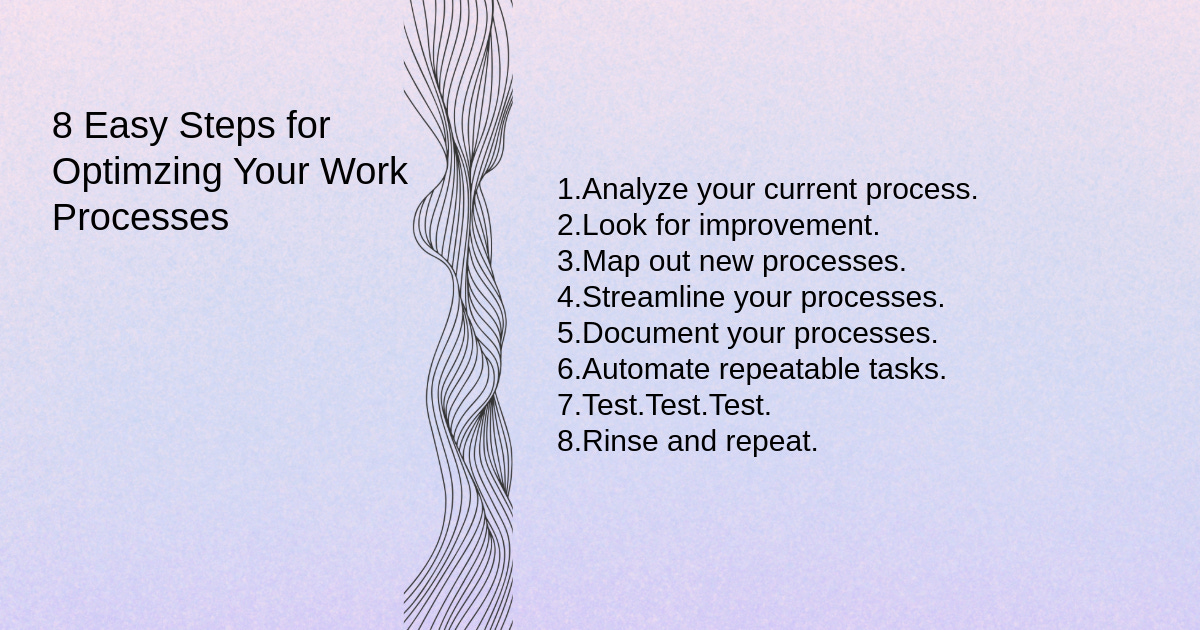
Let's start at the beginning. Many folks who are smarter than me recommend following eight simple steps to optimize your work processes (I'll show you how to apply this to actual workflow in some examples in a minute).
Analyze your current process. Map everything out in flowcharts and create a visual representation of your process.
Look for improvement. Let the team members who carry out the processes daily provide input about what could flow better.
Map out new processes. Revise the flowcharts you created in step one.
Streamline your processes. Break it down to at most six high-level steps.
Document your processes. You shouldn't expect anybody to commit every workflow process you have to memory and know them by heart. Even if you're a freelancer working for yourself, document it.
Automate repeatable tasks. It's 2024. Automation is your friend and can often benefit every industry and department in at least one step in one workflow process somewhere.
Test. Test. Test. Before rolling out your new processes, ensure they work. Pick a project or a department to take your process for a spin around the block and see how it rides.
Rinse and repeat. You need to revisit your processes regularly to ensure they're still serving your needs. At the very least, treat it like Spring Cleaning and ensure you reevaluate and reorganize at least once a year.
Quick Guide for Content Marketing Managers: Streamlining Marketing Workflows with Asana
Drawing on my background in content marketing here, effectively managing content creation, publication, and promotion is essential for driving engagement and achieving marketing objectives. Asana is a well-known work management platform I've used multiple times throughout my career, so I'm referencing it here for this example. But you can take anything I'm saying here and apply it to the work management platform of your choice. The concept will transfer easily.
This guide outlines specific steps and best practices for content marketing managers to optimize their workflows using Asana:
Content Calendar Setup
Create your content calendar project in Asana to centralize all content-related activities.
Define your content themes, topics, and formats based on your marketing goals and audience preferences.
Populate the content calendar with publication dates, deadlines, and distribution channels.
Assign responsibilities for content creation, editing, and promotion to team members.
Content Planning and Ideation
Use Asana's task and subtask features to brainstorm content ideas and plan editorial calendars.
Organize content ideas into categories or campaigns to maintain a cohesive content strategy.
Use Asana's custom fields to track content status, target keywords, and assigned authors.
Content Creation and Collaboration
Create individual tasks for each piece of content, specifying requirements, objectives, and deadlines.
Collaborate with writers, designers, and other stakeholders by attaching files, providing feedback, and discussing revisions within Asana.
Set up approval workflows using task dependencies and custom approval stages to ensure content meets quality standards before publishing.
Content Publication and Promotion
Schedule content publication dates using Asana's calendar view.
I plan and execute promotional activities such as social media posts, email newsletters, and outreach campaigns. I like to create "content packages" with stakeholders to ensure everyone understands the content we're promoting, who we need to reach with it, and why.
Monitor content performance metrics and engagement levels using Asana's reporting features to help inform your content strategy in the future (I don't know if you can do this on platforms like Monday and Trello or not).
Automation and Integration
Automate repetitive tasks such as social media scheduling or email notifications using Asana's automation rules.
Integrate Asana with content creation tools like Google Docs or Microsoft Office for seamless collaboration and file sharing.
Integrate Asana with analytics platforms like Google Analytics to track content performance and ROI.
Training and Support
Provide training sessions and resources to educate team members on using Asana effectively for content marketing workflows.
Offer ongoing support and guidance and encourage team members to share tips, best practices, and success stories.
It seems pretty simple and straightforward, but the best things in life often are, in my opinion. If you follow the strategies outlined in this guide, you'll streamline your content marketing workflows and turn Asana (or the platform of your choice) into a central hub for content management that drives meaningful results for your organization.

Quick Guide for Technical Roles: Streamlining Project Workflows with Asana
I didn't forget about ya, tech friends. Here's a simple guide for you, too.
Technical roles often involve managing complex projects with multiple tasks, dependencies, and stakeholders. This guide outlines specific steps and best practices for technical roles to optimize project management workflows using Asana.
Project Setup
Create a new project in Asana to represent each technical initiative or project, such as software development, product launches, or infrastructure upgrades.
Define project objectives, deliverables, and milestones within the project description to align the team's efforts.
Establish project timelines and dependencies using Asana's timeline or Gantt chart view to visualize project progress and critical paths.
Assign project roles and responsibilities to team members based on their expertise and availability.
Task Management
Break down project requirements into actionable tasks and subtasks, including development, testing, documentation, and deployment tasks.
Utilize Asana's task dependencies to sequence tasks logically and identify dependencies between different components.
Assign tasks to specific team members, ensuring clear ownership and accountability for each task.
Set due dates and priorities for tasks to manage workload and meet project deadlines effectively.
Communication and Collaboration
Encourage team members to communicate within Asana by using comments, @mentions, and attachments to provide updates and discuss technical issues.
Host technical discussions, code reviews, and sprint planning meetings within Asana to centralize communication and ensure alignment.
Integrate Asana with development tools like GitHub, Jira, or Bitbucket to link tasks with code repositories and seamlessly track development progress.
Utilize Asana's Slack or Microsoft Teams integrations for real-time collaboration and notifications.
Project Tracking and Reporting:
Monitor project progress using Asana's boards, lists, or timeline views. Track task completion and identify bottlenecks or delays.
Update task statuses regularly to reflect progress accurately and keep stakeholders informed.
Track project metrics such as sprint velocity, bug count, and release milestones using custom fields or tags in Asana.
Generate custom reports in Asana to analyze project performance, identify trends, and make data-driven decisions for process improvement.
Automation and Integration
Leverage Asana's automation features to streamline repetitive tasks such as task assignments, status updates, or notification triggers.
Integrate Asana with development tools, CI/CD pipelines, or issue-tracking systems to automate workflows and synchronize data across platforms.
Explore Asana's API for custom integrations and automation scripts tailored to specific technical requirements or toolsets.
Training and Support:
Provide training sessions or resources to educate team members on using Asana effectively for technical project management.
Offer technical support and guidance to address questions or issues related to Asana setup, integrations, or workflow customization.
Foster a culture of knowledge sharing and collaboration within the Asana workspace, encouraging team members to document processes, share best practices, and collaborate on technical solutions.
If you're still reading, you must've really needed this info. I'm glad you're here, and I appreciate you making it this far. I hope you found what you were looking for and that I helped lift some of the fog around workflow process improvement.